Employee login & access
Last updated: February 23, 2026
Do employees need to log in to Fable?
In most cases, employees do not need to sign in to Fable.
Fable content (briefings, awareness training, phishing follow-ups) is delivered via magic links.
Clicking the magic link opens the content directly—no username or password required.
If briefings are delivered through Google Chat, Slack, or Microsoft Teams, employees can open and complete them directly in the messaging app.
Logging into Fable
If your company uses Single Sign-On (SSO), you can log in using your SSO credentials.
If your company does not use SSO, employees can reset their password by using the "Forgot Password" option.
Switching to employee view
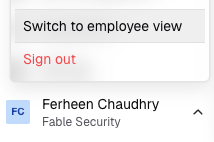
Admins can switch to the employee view by clicking the arrow next to their name in the bottom left corner and selecting Switch to employee view.
Employee view
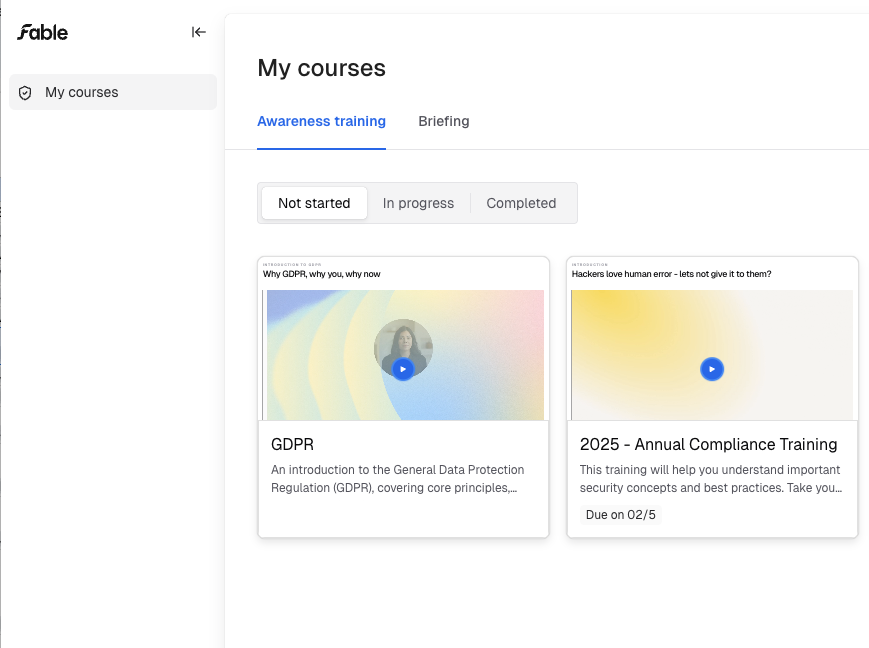
Employees will see two tabs in their portal:
Awareness training courses
Briefings
They can view the status of their trainings, including:
Not started
In progress
Complete
If there is a due date for the course, it will be displayed.