Editing a phishing template
Last updated: February 23, 2026
On the Catalog>Simulations page, you will find all of our phishing templates, and any custom templates that you have created.
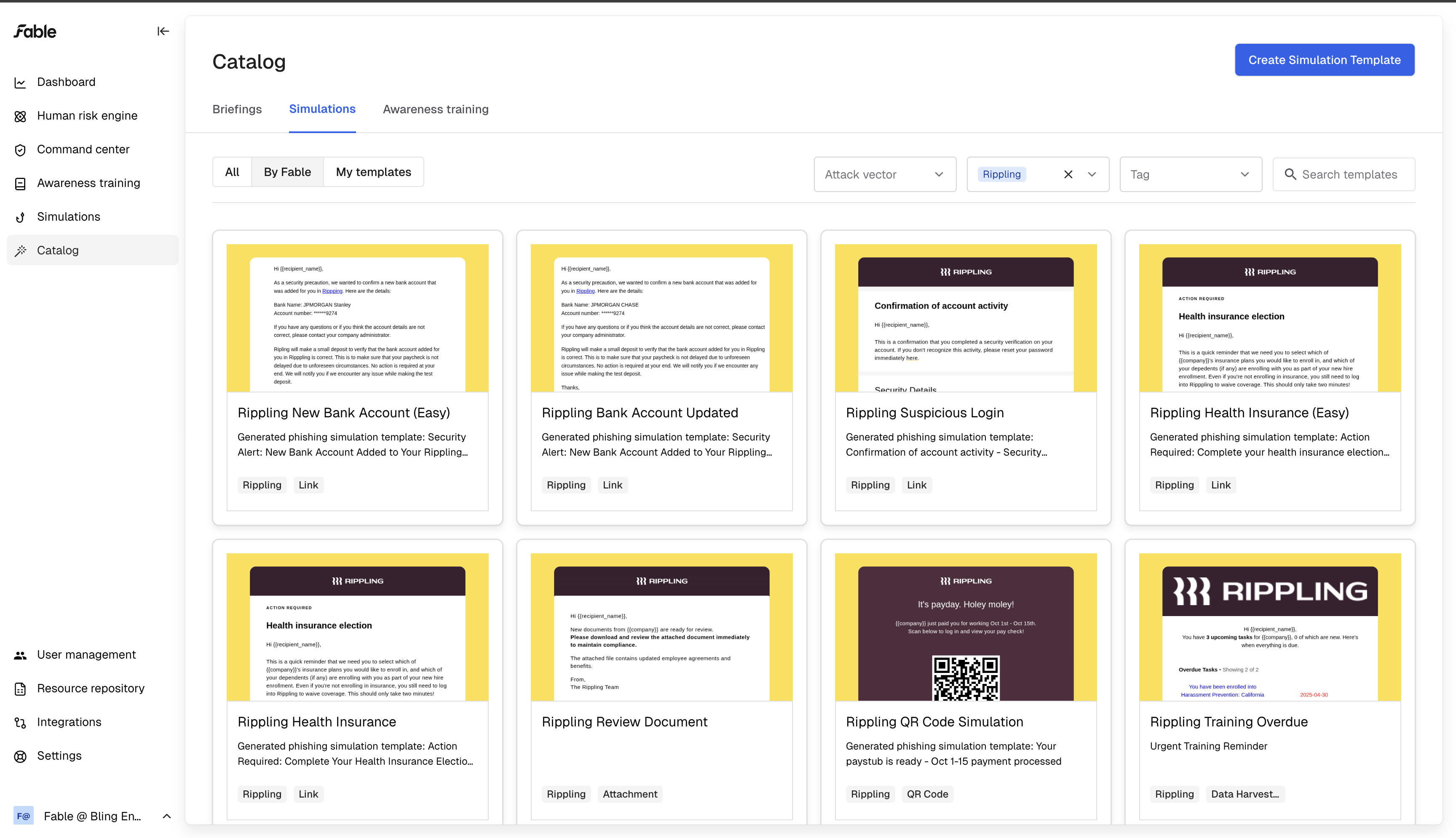
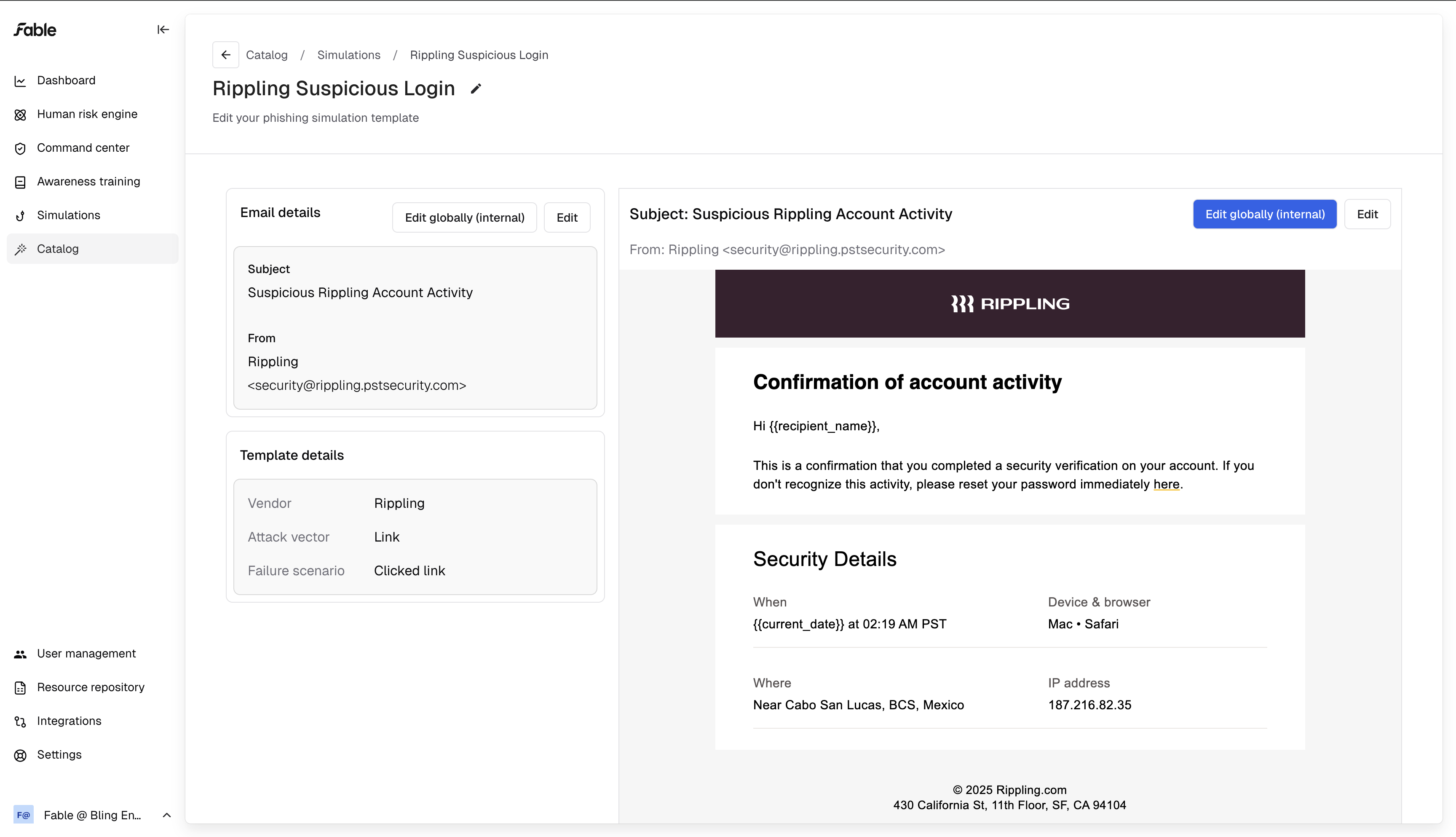
Click into any template to see more details and to edit your phishing simulation scenario.
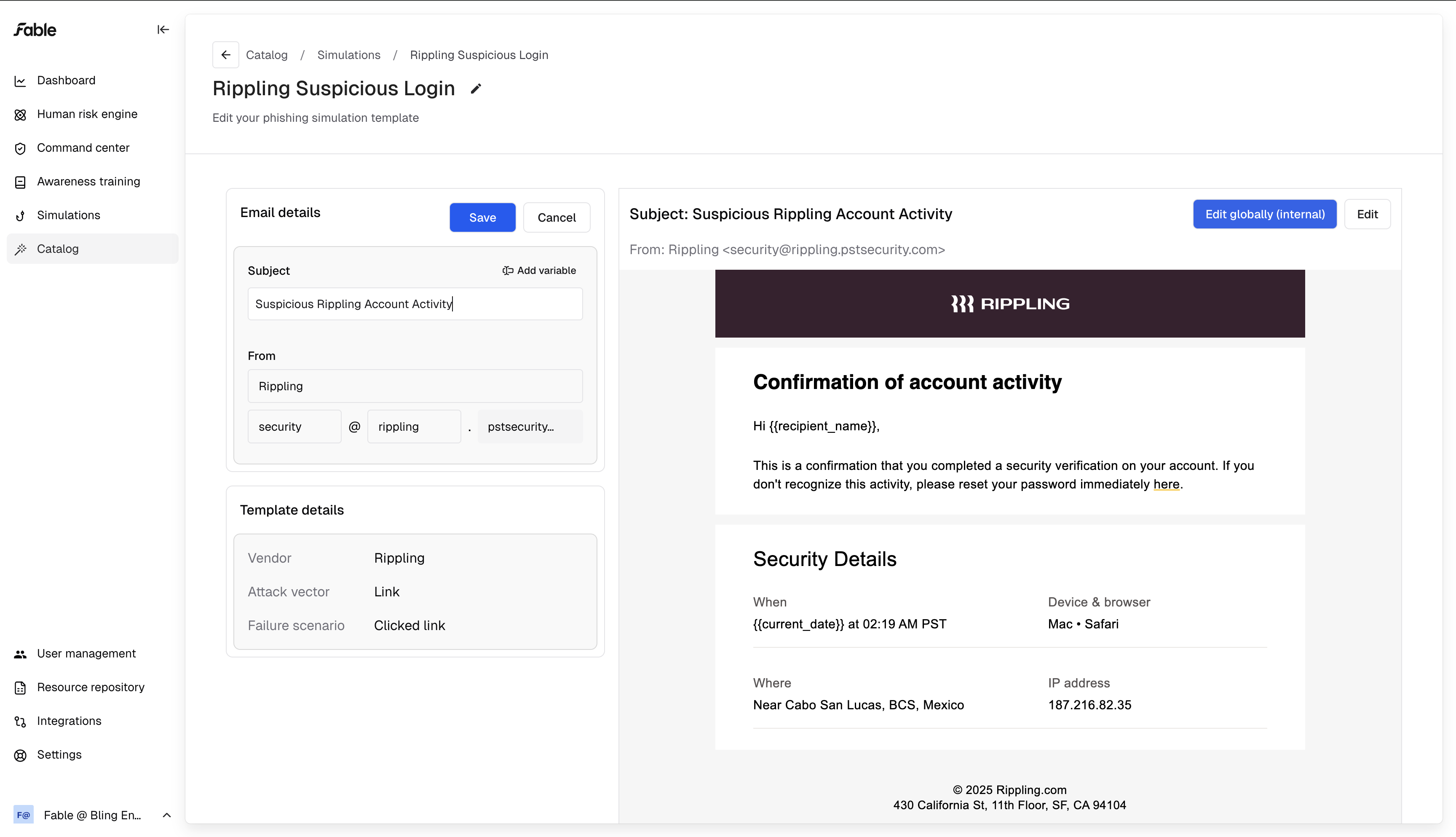
Editing Sender Info
You can edit the subject line, the display name for the sender, and the sender's email address.
You can choose from our dropdown of available domains, and optionally write your own subdomain.
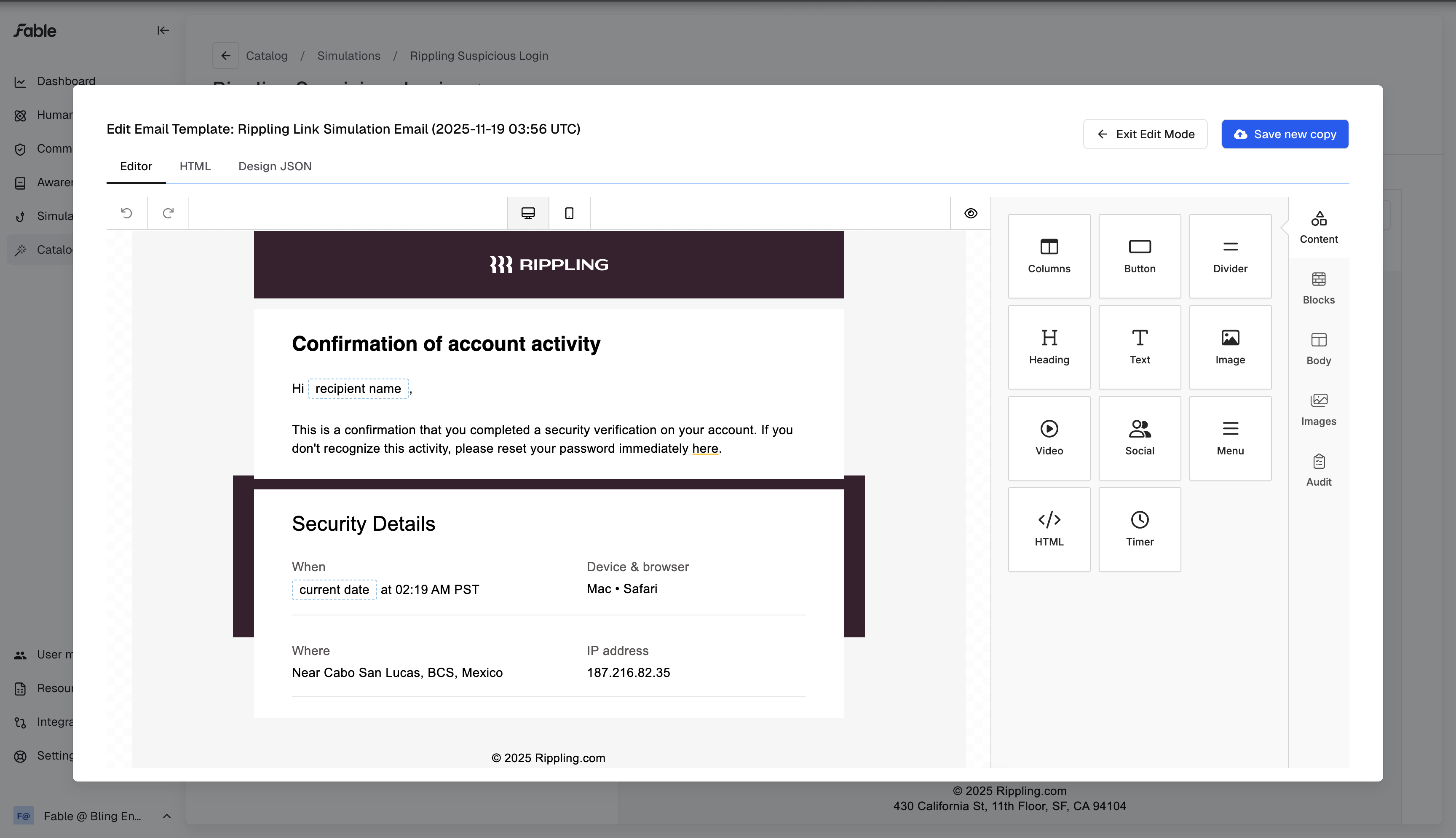
Editing email body
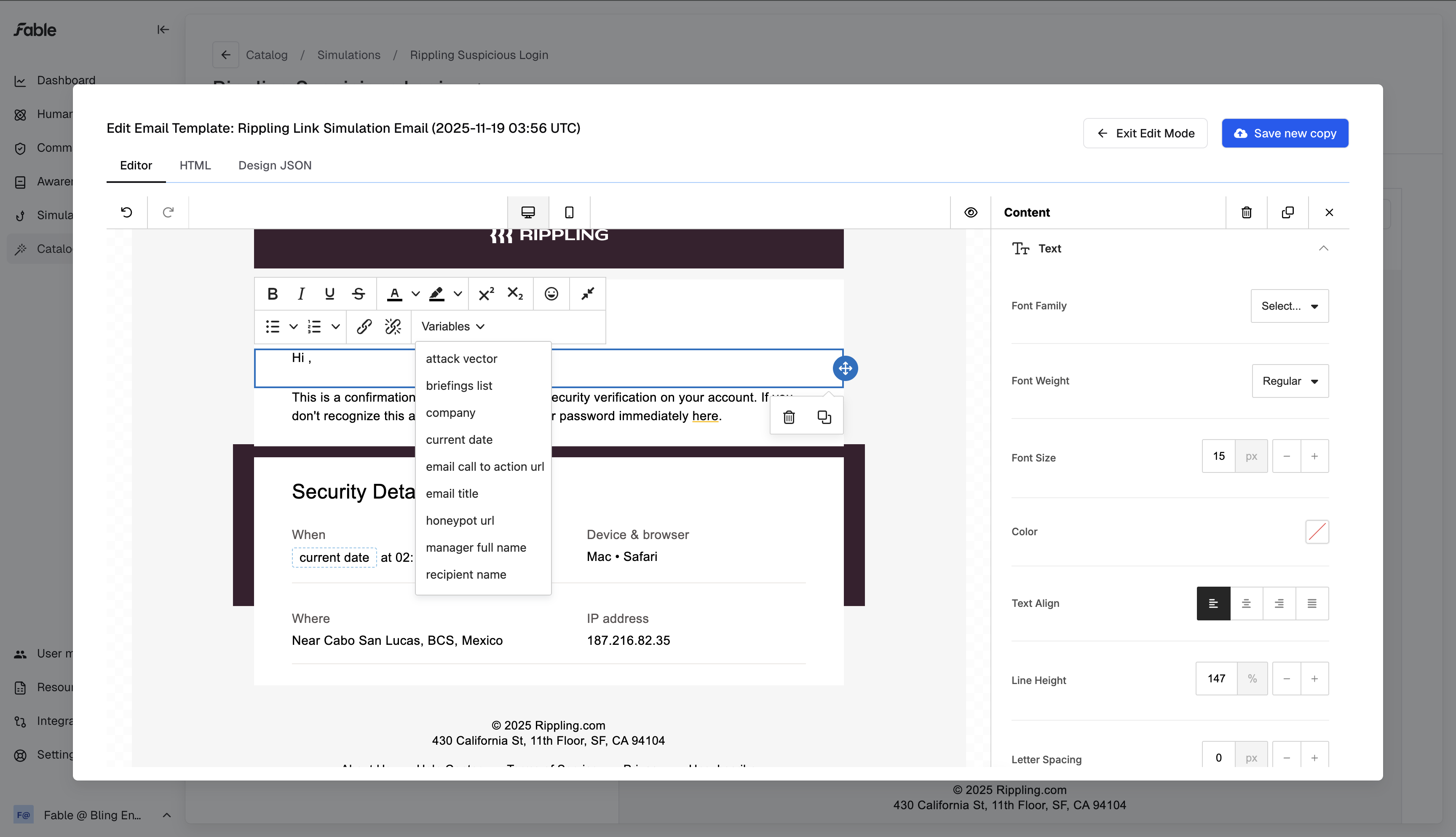
You can also edit the email contents - we use the same email editor that marketers use to create marketing materials!
Personalization
Insert variables into your template using our variable dropdown. Templates can use variables like the recipient's name, their manager's name, or the date when the email is received.
These variables automate personalization for all your employees:
Make sure to save your edits! Once you finish creating your template, you can add it to a phishing simulation campaign and start training your coworkers.