OneLogin integration
Last updated: February 23, 2026
Introduction
We integrate with your OneLogin SSO to enable employees to securely access Fable apps. This integration will take 3 minutes.
Integration requirements:
OneLogin SSO
Integration steps
Step 1: Create a SAML custom connector
Log into your OneLogin admin account. Click on “Applications” -> “Applications” -> Add App, and search for “SAML Custom Connector (Advanced)”.
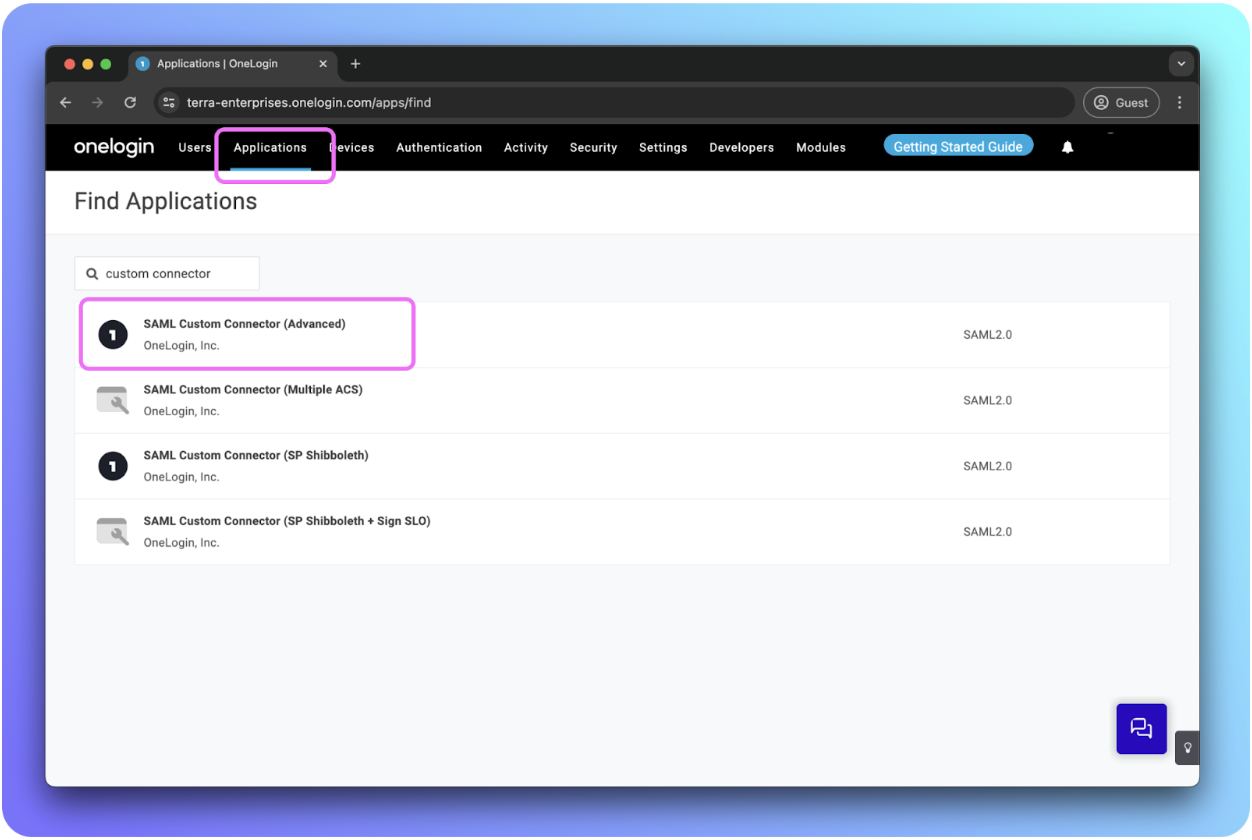
Step 2: Input Fable Security app information
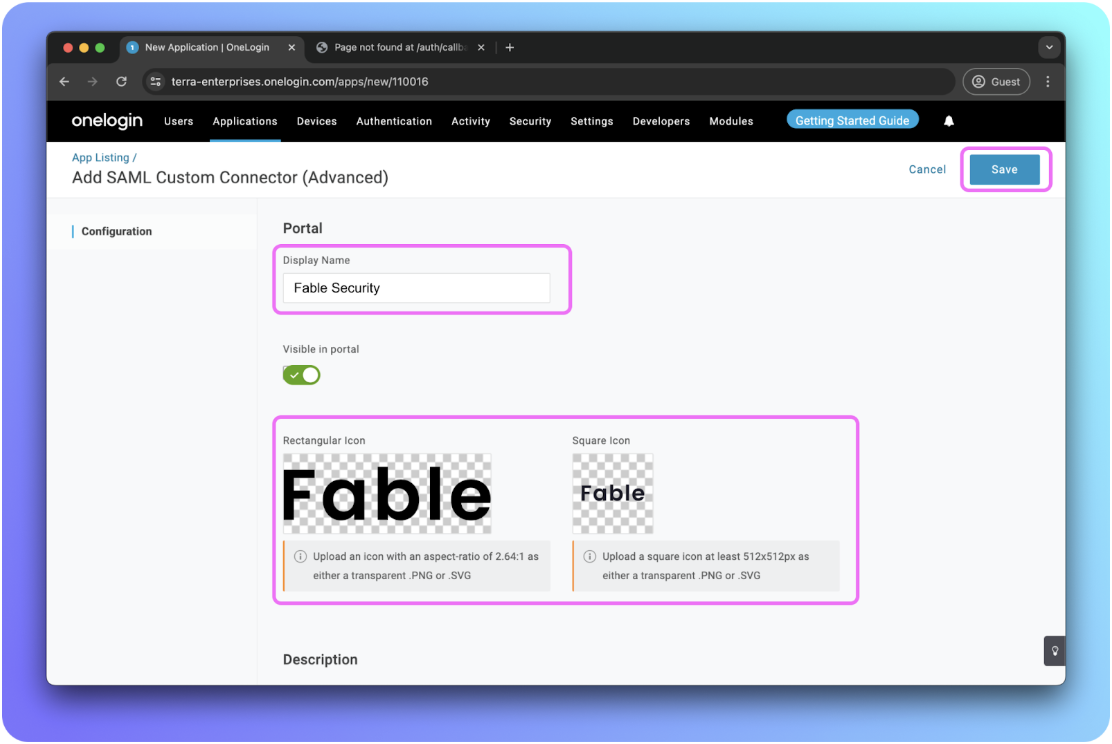
To help your organization identify the Fable application:
Update “Display Name” with Fable Security
Update app icons with
Rectangular icon: https://assets.fablesecurity.com/icons/fable-wordmark.png
Square icon: https://assets.fablesecurity.com/icons/fable-logo.png
Hit “Save” and continue.
Step 3: Obtain URIs from Fable’s integration page
Go to Integrations page: https://app.fablesecurity.com/settings/integrations/
Select “SAML SSO” card
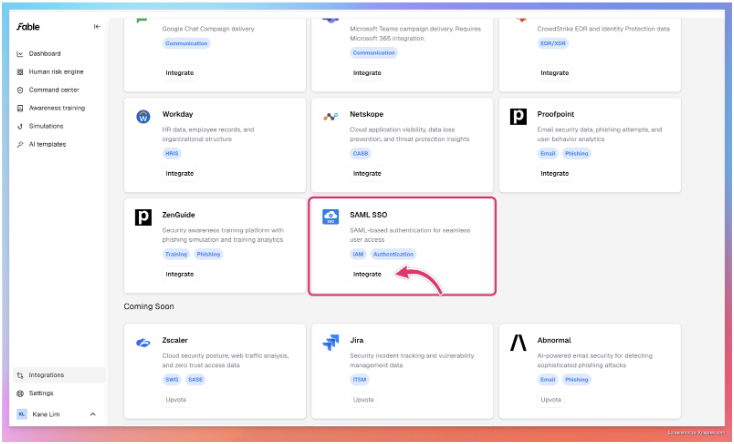
Click on “Add Connection” in the drawer
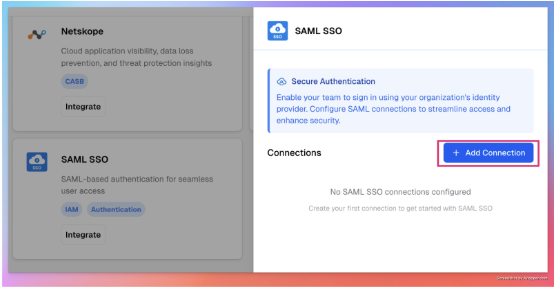
Add “OneLogin” as the connection name
Copy the URLs for your next steps in OneLogin
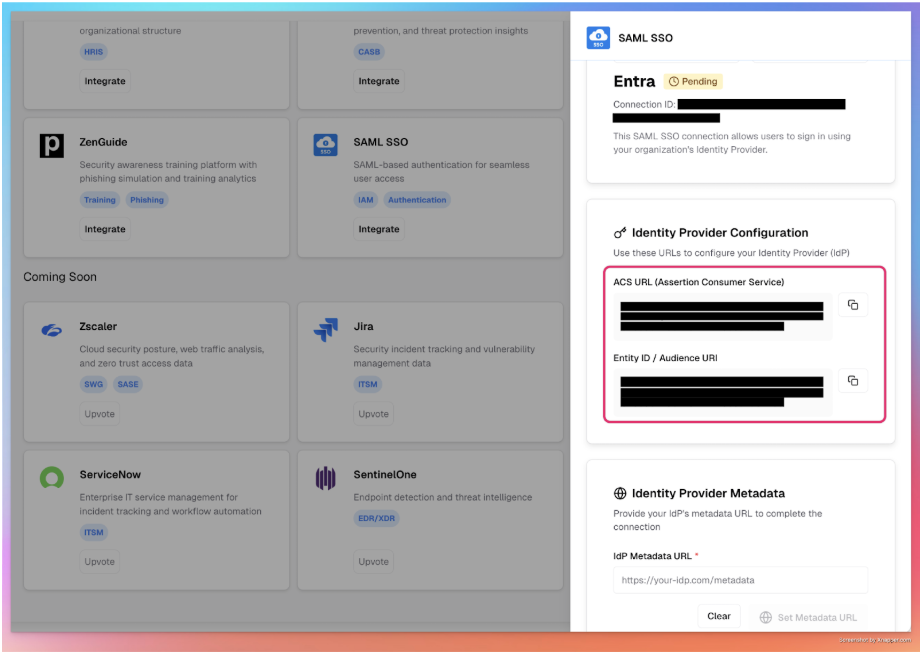
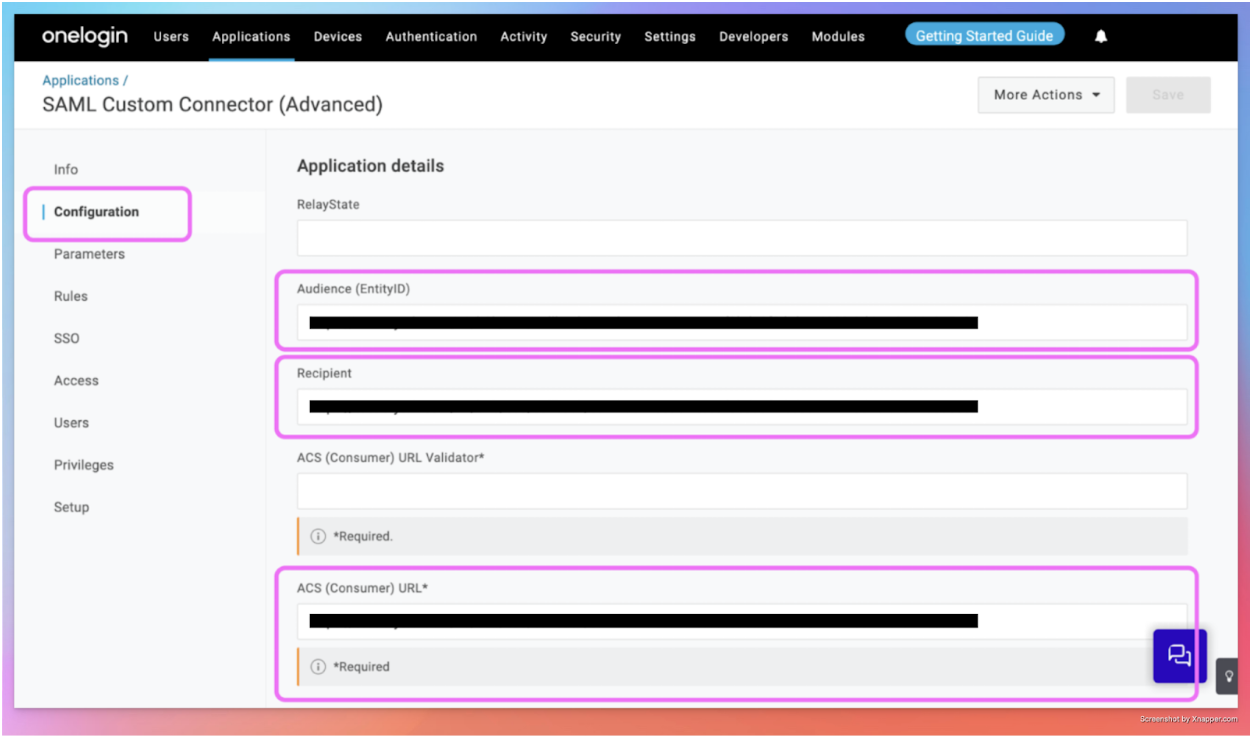
Step 4: Configure SAML connection
Click on “Configuration” and fill in the following fields provided by Fable. This is unique for your organization’s SAML connection to the Fable App.
Fill in “Audience (EntityID)”, “Recipient” and “ACS (Consumer) URL” with the URLs obtained in the previous step.
Step 5: Configure the parameters
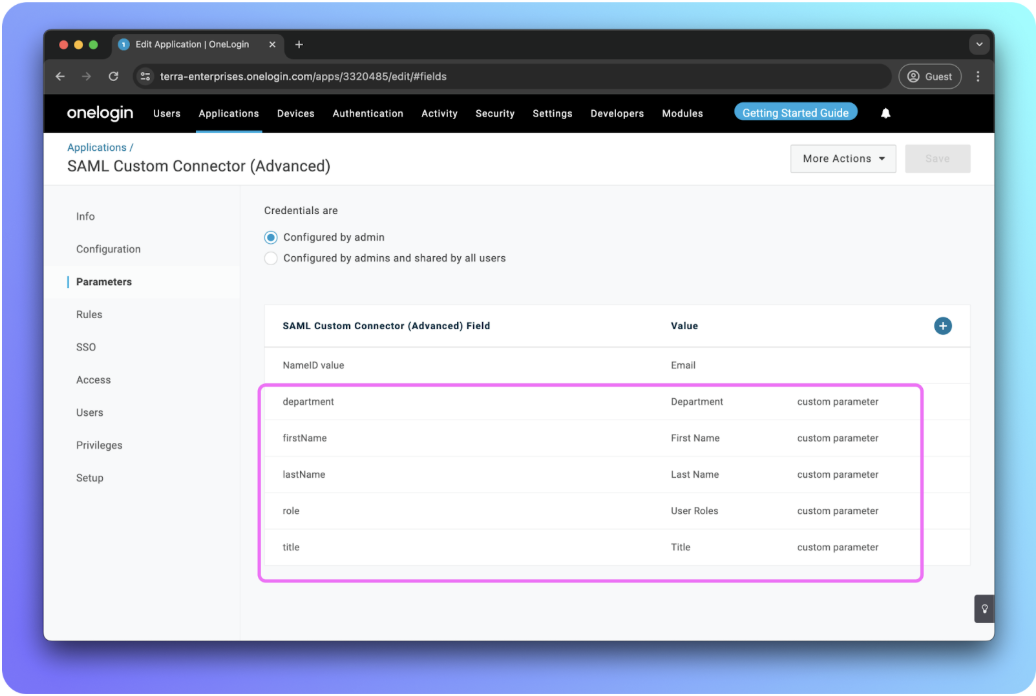
Click on “Parameters” -> add new fields to help Fable identify your employees.
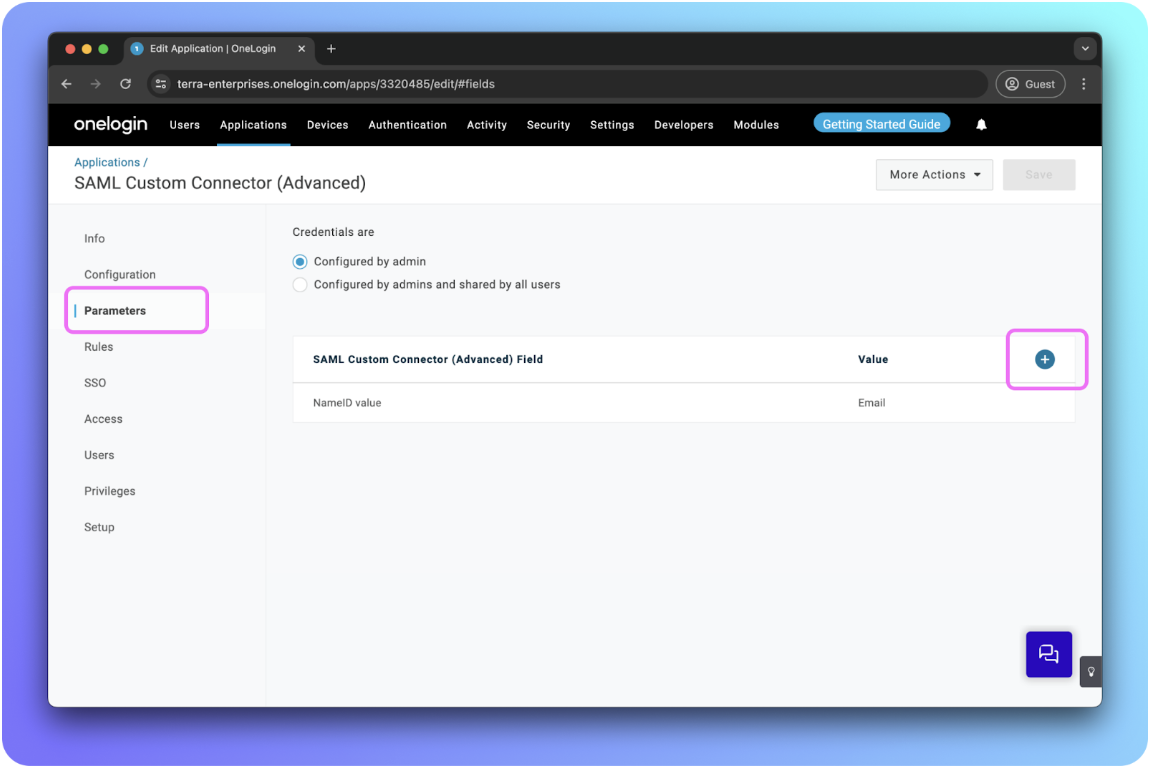
Add new fields:
In “Field name”, fill in: firstName
Checkbox “Include in SAML assertion”
Click “Save”
In “Value”, select “First Name”
Click “Save” again.
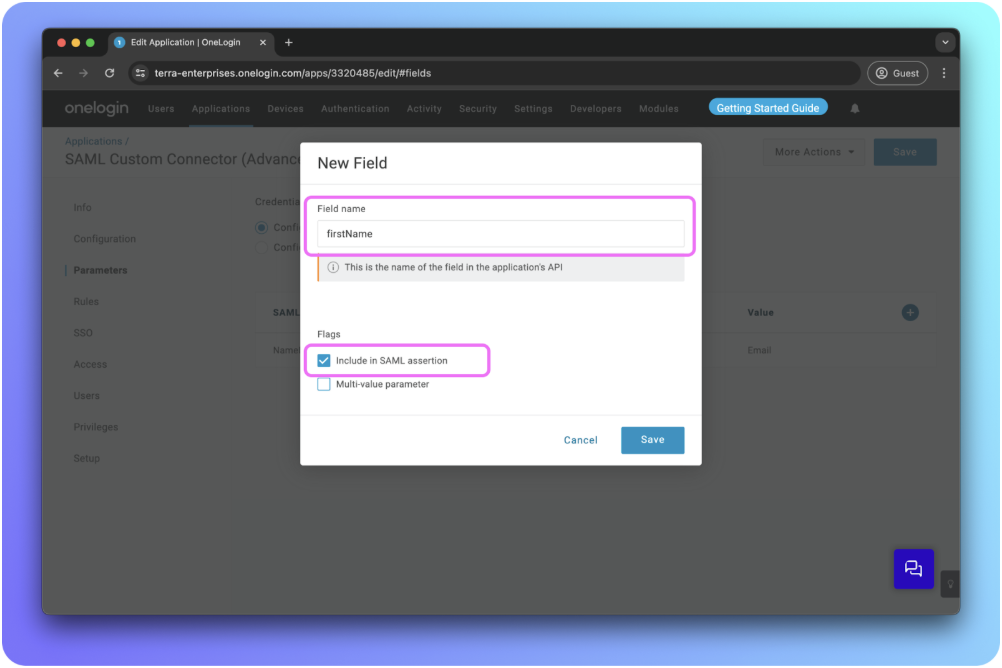
Repeat the previous steps to create 4 new fields for: lastName, department, role, title.
Step 6: Enable SAML 2.0
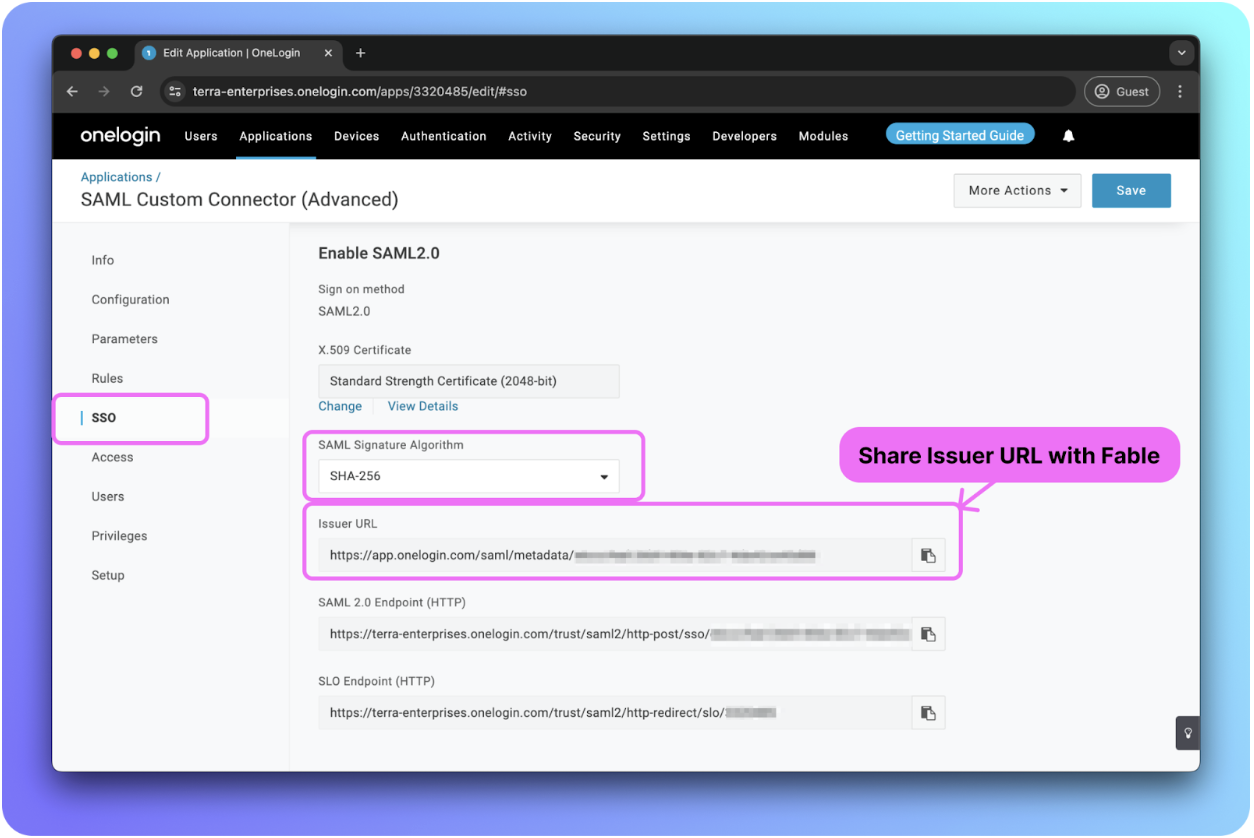
Click on “SSO”
Update “SAML Signature Algorithm” to: SHA-256
Provide the following details to Fable Security to setup SAML SSO connection: Issuer URL
Step 7: Save your metadata URL in Fable Security web portal
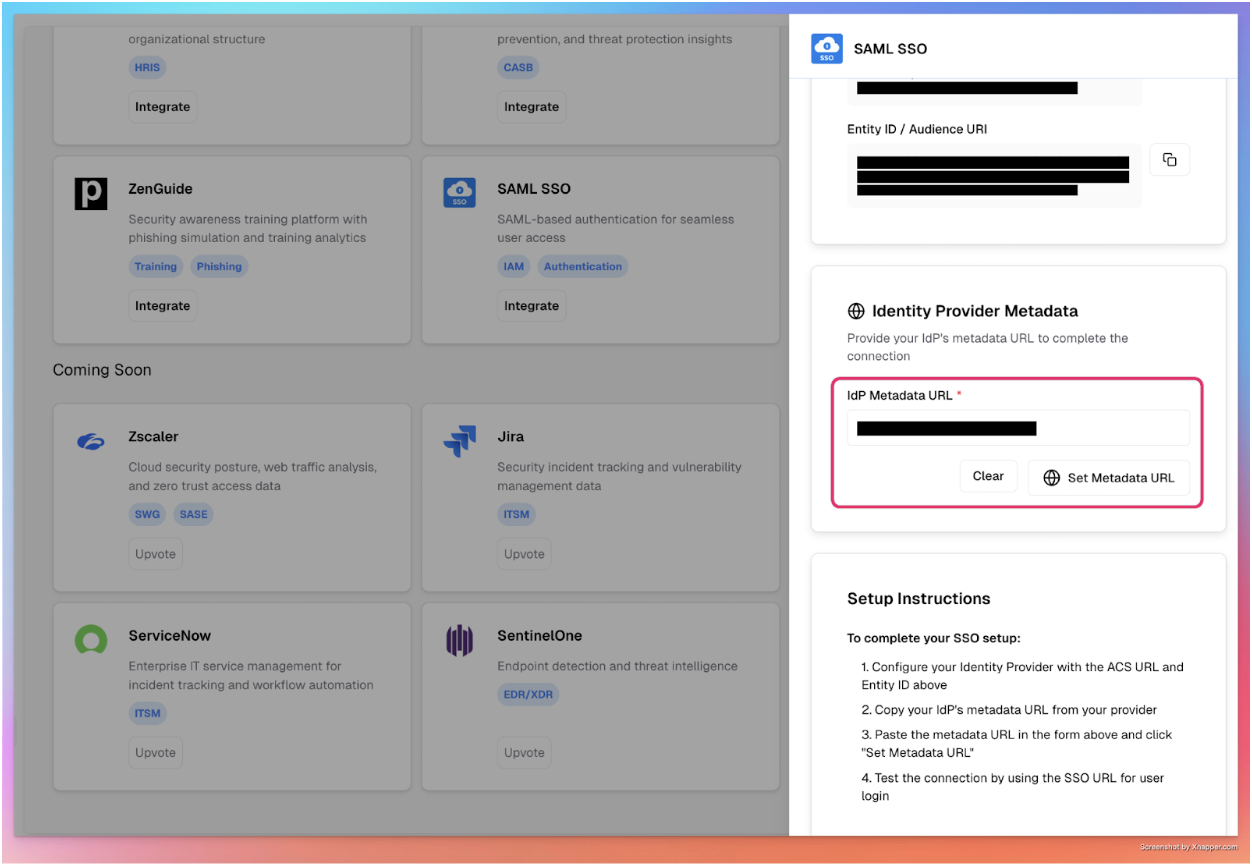
Click on SAML SSO card
Input the “Issuer URL” from previous step and hit ‘Set Metadata URL’ button to save
Step 8: Manage app access
After saving the metadata url successfully, please assign the Fable Security app to everyone.
The OneLogin SAML SSO integration is now complete! 🎉🎉🎉